












Moving from Great Plains to the cloud is no longer just an option – it’s a necessity. Here is everything you need to know about the timeline, the data, and how industry accelerators can speed up your move.
Introduction
For decades, Microsoft Dynamics GP (Great Plains) has been the reliable workhorse of the ERP world. It has managed general ledgers, handled complex payroll, and kept supply chains moving for thousands of businesses. We understand the sentiment: if the system works, why change it?
However, the business landscape has shifted. The necessity for remote access, stricter security against ransomware, and the need for real-time reporting has made on-premise servers feel increasingly heavy to maintain. While Microsoft continues to support GP, their innovation engine is firmly focused on the cloud.
This shift has many IT Directors and CFOs asking the same question: What does a move to the cloud actually look like?
This guide explains exactly what Dynamics GP to Business Central migration services entail. We will cover what data moves (and what doesn’t), the critical support deadlines you need to know, and how specialized tools like Olix365 and PulseNet365 are changing the game for SMBs and utility companies.
The "Why": The Urgency of Moving to the Cloud
Why is everyone talking about migration now? It’s not just about new features; it’s about the lifecycle of your current software.
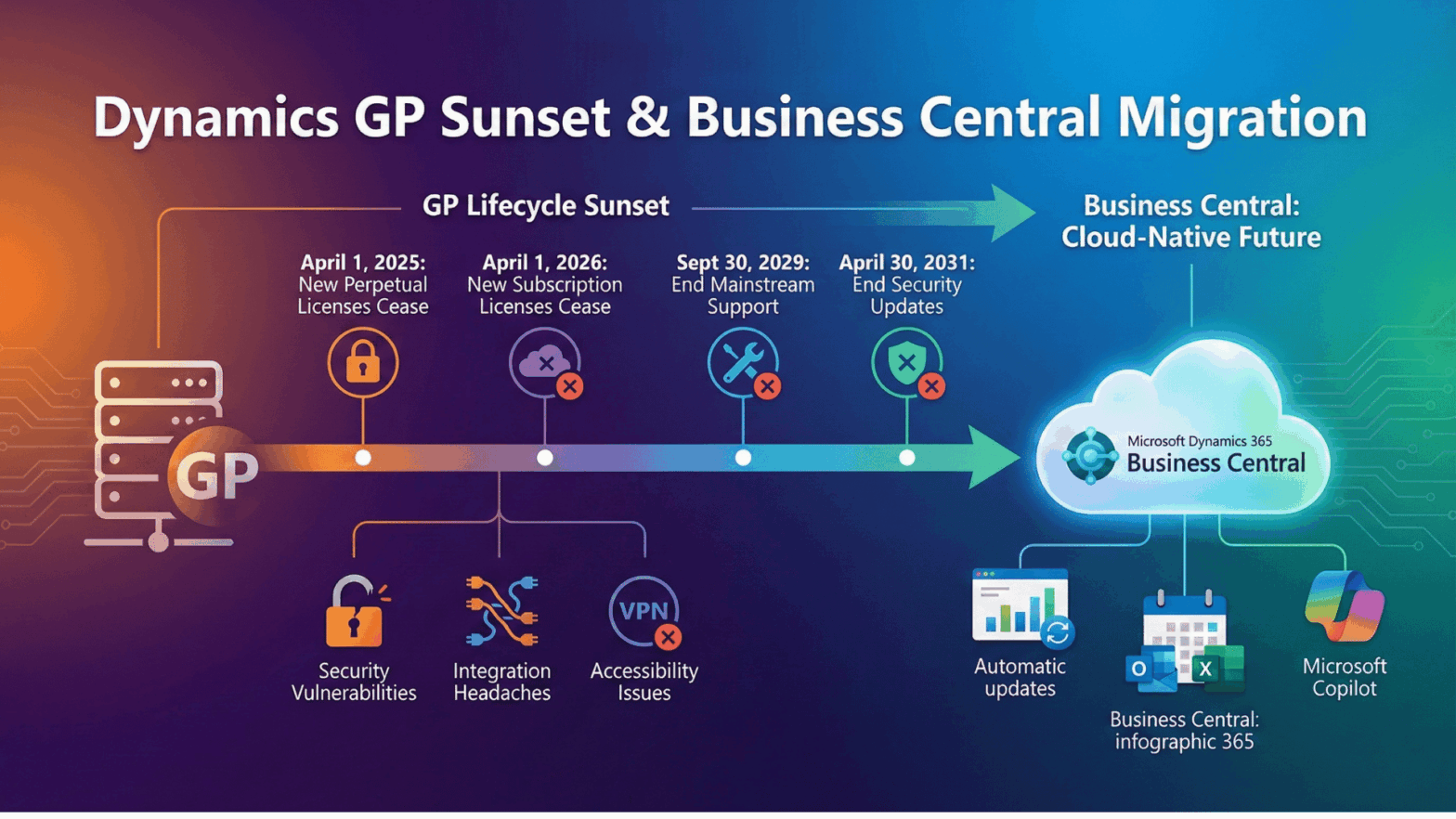
Recent announcements from Microsoft have established a clear timeline that every GP user must be aware of:
April 1, 2025: Sales of new perpetual licenses for Dynamics GP will cease.
April 1, 2026: Sales of new subscription licenses for Dynamics GP will cease.
September 30, 2029: End of mainstream support (no more product enhancements or tax updates).
April 30, 2031: End of security updates.
Remaining on GP means you are gradually accepting more risk:
Security Vulnerabilities: Protecting older on-premise servers against modern threats is increasingly difficult and expensive.
Integration Headaches: Trying to get GP to talk to a modern CRM, e-commerce platform, or payroll system often requires expensive custom coding.
Accessibility Issues: In a hybrid work world, needing a VPN just to approve an invoice is a major bottleneck.
Dynamics 365 Business Central solves these issues by offering a cloud-native platform that updates automatically, integrates natively with Outlook and Excel, and includes built-in AI tools like Microsoft Copilot.
The Secret Weapon: Alphavima’s Industry Accelerators
One of the biggest fears about migration is that the new system won’t “fit” your specific industry without months of expensive customization.
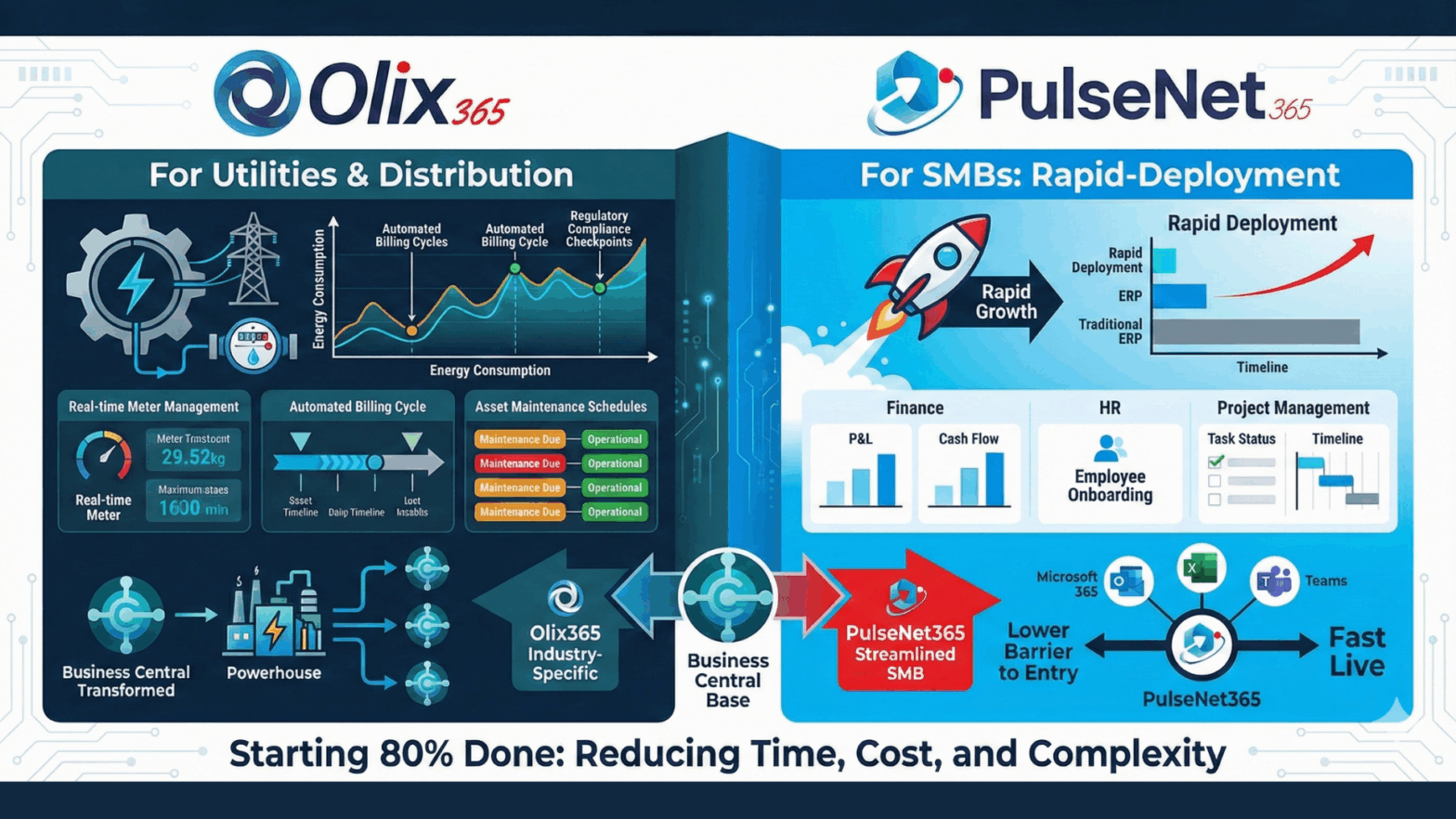
At Alphavima, we believe in starting 80% done. We use our pre-built Accelerators – solutions built on top of Business Central – to give you industry-specific features right out of the box.
1. For Utilities & Distribution: Olix365
If you are in the energy, utilities, or complex distribution sectors, standard ERP often falls short. Olix365 transforms Business Central into a powerhouse for your industry.
What it adds: Specialized modules for meter management, automated billing cycles, regulatory compliance reporting, and asset maintenance.
The Benefit: You don’t have to build these complex features from scratch. We simply turn them on, significantly reducing your implementation time and cost.
2. For SMBs: PulseNet365
Small and mid-sized businesses need speed and simplicity. PulseNet365 is our rapid-deployment accelerator designed to get you live fast without the “enterprise bloat.”
What it adds: A streamlined setup for Finance, HR, and Project Management that integrates deeply with Microsoft 365.
The Benefit: It lowers the barrier to entry, allowing smaller teams to leverage the power of Business Central with a configuration that makes sense for their size.
The "How": A Proven Migration Process
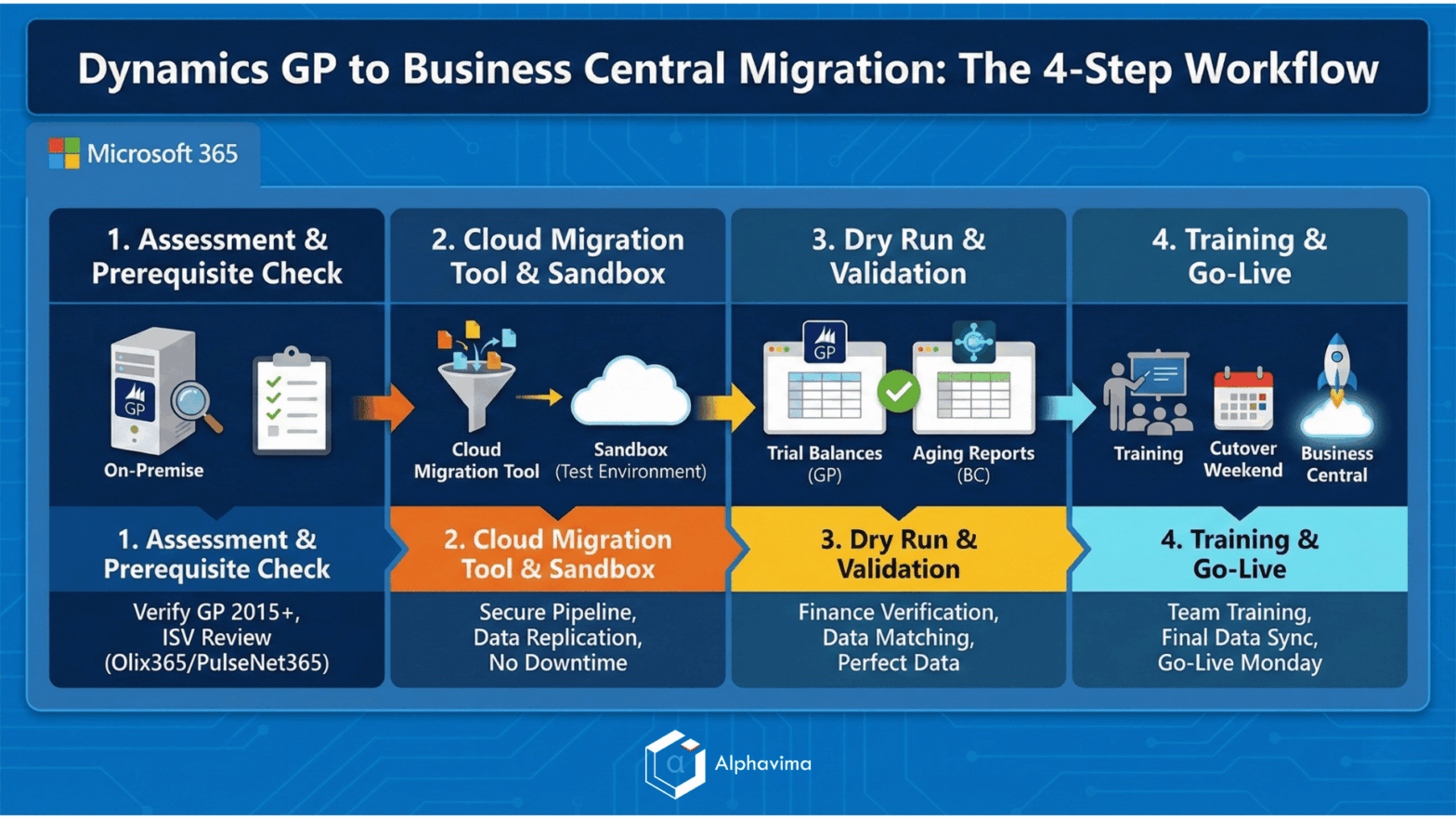
A successful migration isn’t magic; it’s a structured engineering process. When you engage professional Dynamics GP to Business Central migration services, here is the typical workflow based on Microsoft’s official methodology:
1. The Assessment & Prerequisite Check
We verify your current setup. You typically need to be on GP 2015 or newer. We also identify which third-party add-ons (ISVs) you use and plan how to replace them – often using Olix365 or PulseNet365 features.
2. The Cloud Migration Tool & Sandbox
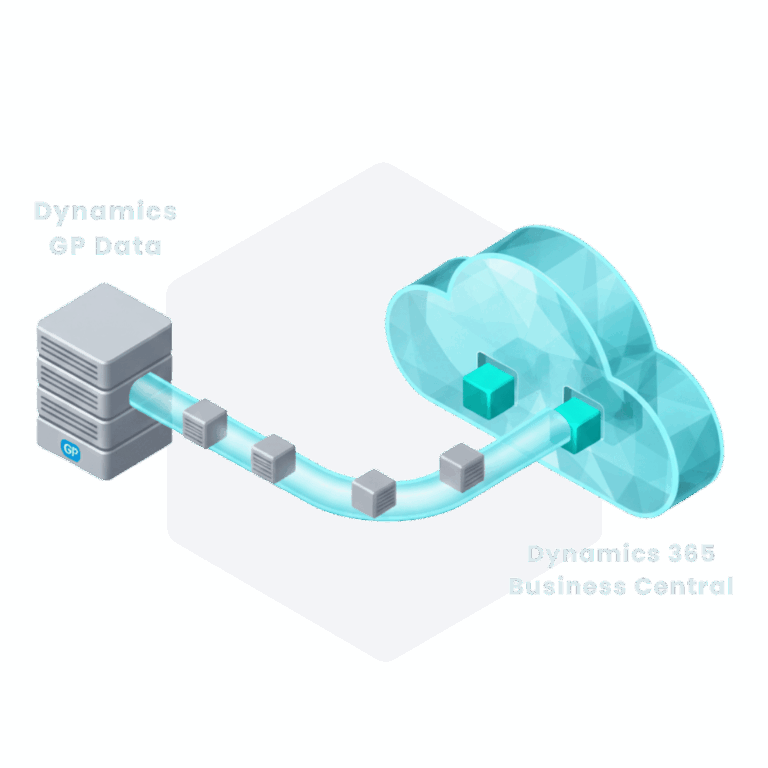
We set up a “Sandbox” (test environment) of Business Central. Using Microsoft’s official Cloud Migration Tool, we create a secure pipeline that replicates your GP data to the cloud without shutting down your current system.
3. The “Dry Run” & Validation
This is the most critical phase. Your finance team logs into the Sandbox to verify data.
Do the trial balances match?
Are the customer aging reports identical?
We run these checks multiple times until the data is perfect.
4. Training and Go-Live
Once validated, we train your team on their new daily workflows. On the “Cutover Weekend,” we perform a final data sync, disconnect GP, and on Monday morning, your team logs into Business Central.
Addressing Key Concerns: Cost and Data History
Let’s address the two biggest questions we hear from every client.
“Will I lose my historical data?”
No, but we don’t move everything.
Migrating 15 years of closed, line-item transactions is technically risky and clutters your new system.
The Best Practice: We migrate all master records (customers, vendors, items) and open transactions. For history, we typically migrate detailed data for the current and previous year, and “summary” balances for older years.
The Solution: Keep your old GP system running in “read-only” mode on a secure server. This gives you access to 20 years of history for audits without slowing down your new cloud ERP.
“What is the cost of migrating GP to Business Central?”
Costs vary based on complexity, but moving to the cloud shifts your spend from CapEx (buying servers, paying for upgrades every 3 years) to OpEx (predictable monthly licensing).
Accelerator Value: Using PulseNet365 or Olix365 can actually lower your migration costs by removing the need for custom development hours.
Conclusion
Moving from Dynamics GP to Business Central is a significant step, but it’s the necessary one to ensure your business remains competitive for the next decade.
You don’t have to navigate this complex process alone. Whether you need the heavy-lifting power of Olix365 for your utility business or the agile speed of PulseNet365 for your growing SMB, Alphavima has the tools to make your migration smooth and predictable.
Ready to future-proof your business? Contact Alphavima today for a no-obligation Dynamics GP migration assessment.
Don't start your migration from zero. Start 80% done.
Stop guessing. Talk to our architects to see if your data is ready for the cloud and get a clear roadmap.
FAQs
When is the end of life for Microsoft Dynamics GP?
Microsoft has announced that sales of new Perpetual licenses cease on April 1, 2025, and Subscription licenses on April 1, 2026. While the product is not shutting down immediately, Mainstream Support ends on September 30, 2029, and Security Updates will stop completely by April 30, 2031.
Can I keep using Dynamics GP after 2025?
Yes, existing customers can continue using GP. However, as Microsoft shifts investment to Business Central, staying on GP exposes your business to increased security risks, compatibility issues with modern Windows/SQL server versions, and a lack of new features.
How much does a Dynamics GP to Business Central migration cost?
Migration costs vary based on database size, customization levels, and third-party add-ons. However, moving to Business Central shifts costs from large upfront capital expenditures (servers, hardware) to predictable monthly operational expenses (licensing). Using accelerators like Alphavima’s PulseNet365 can further reduce implementation costs.
Will I lose my historical data during migration?
No, but best practices dictate a specific strategy. We typically migrate master records (customers, vendors) and open transactions to Business Central to keep the new system fast. Deep historical data (10+ years) is usually kept in a read-only archive or a low-cost SQL database for reference, rather than cluttering the new cloud environment.
How long does a typical migration project take?
A standard migration usually takes between 6 to 12 weeks. Small implementations using our PulseNet365 accelerator can be faster (4-6 weeks), while complex enterprise environments with heavy customization may take 12-16 weeks to ensure proper testing and validation.
What is the difference between Olix365 and PulseNet365?
Both are Alphavima accelerators for Business Central. Olix365 is designed for Utility and Distribution companies, featuring advanced meter management and billing compliance. PulseNet365 is designed for SMBs, offering a streamlined, rapid-deployment configuration for Finance, HR, and Project Management.
Can Business Central handle the customized reports I built in GP?
Directly, no. Legacy reports (like Crystal Reports or Management Reporter) do not transfer automatically. However, Business Central uses modern tools like Power BI and Account Schedules (Financial Reports) which offer far superior real-time analytics and visualization capabilities compared to GP's legacy tools.
Why should I choose a partner-led migration over Microsoft's automated tool?
While Microsoft’s Cloud Migration Tool handles data replication, it does not fix "dirty data," map complex customizations, or train your staff. A partner-led migration by Alphavima ensures your data is validated, errors are resolved before they break the system, and your team is properly trained to use the new software on day one.