



Alphavima India

Alphavima
Microsoft Solutions PartnerMicrosoft Dynamics 365Dynamics 365Customer EngagementMicrosoft Copilot

Home/Dynamics 365/CRM

Dynamics 365 CRM

Dynamics 365 CRM for how India sells

Dynamics 365 CRM brings leads, dealers, field visits and service cases into one Microsoft system, then hands every won quote to Business Central as a GST-ready order. Sales works from mobile and WhatsApp. Finance works from the same numbers.

Dynamics 365 Sales and Customer Service, set up for dealer and distributor channelsQuotes priced from Business Central, with GSTIN and place of supply already correctCopilot summaries of deals and service cases, within each user’s permissions
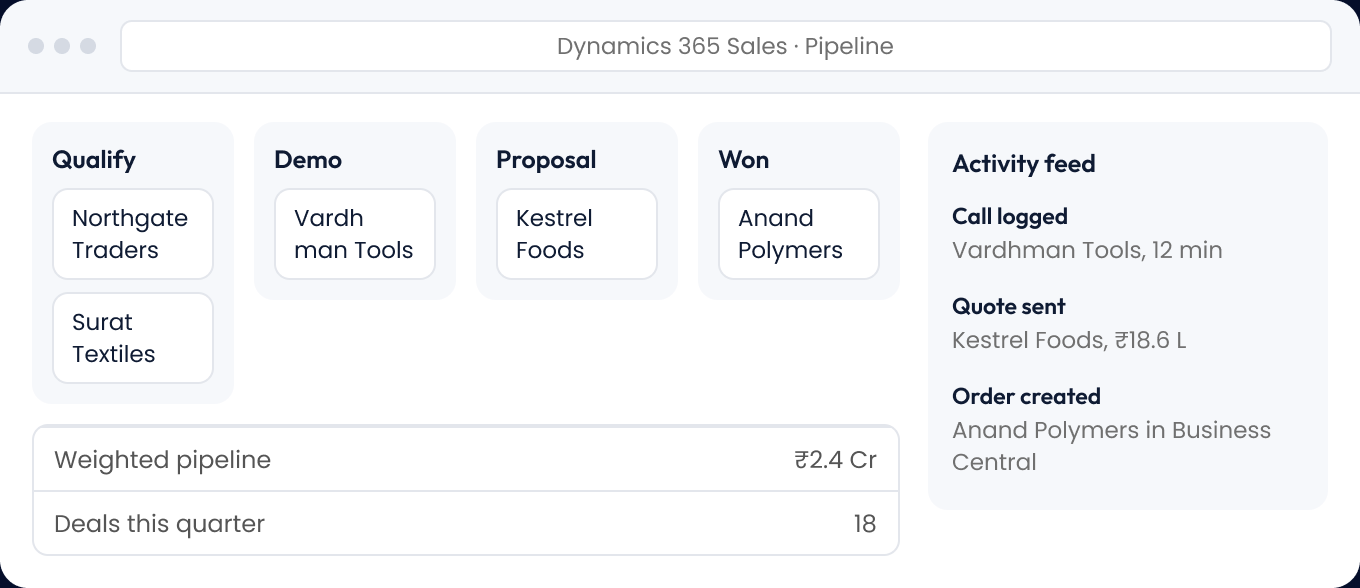

Illustration with sample data

Microsoft Solutions Partner for AI Business Solutions (formerly Business Applications) and Modern Work. ISO 27001 and ISO 9001:2015 certified.

20+

years in business

100+

Microsoft-certified consultants

100+

clients globally

97%

client satisfaction

Why teams switch

Where Dynamics 365 CRM earns its place in an Indian business

Indian B2B selling rarely follows a tidy funnel. Enquiries arrive from IndiaMART, trade fairs, dealers and WhatsApp. Reps quote from the road. Accounts learns about a deal when the purchase order lands.

Dynamics 365 CRM gives that activity one home. Leads, visits, quotes, dealer claims and service cases sit on Microsoft Dataverse, next to Outlook, Teams and Excel your people already use. Because it connects directly to Business Central, a won quote becomes a GST-ready sales order without anyone typing it twice.

We implement Dynamics 365 Sales and Customer Service for mid-market manufacturers, distributors and service firms, and we connect them to the ERP as part of the same project.

Signs you are ready

What sales heads tell us in the first meeting

The forecast is a spreadsheet rebuilt every MondayDealer stock and secondary sales are a guess until month endReps call accounts to ask whether a customer has paidQuotes use last quarter's price list because nobody updated the copyCustomer history leaves the company when a rep doesService complaints live in one person's WhatsApp
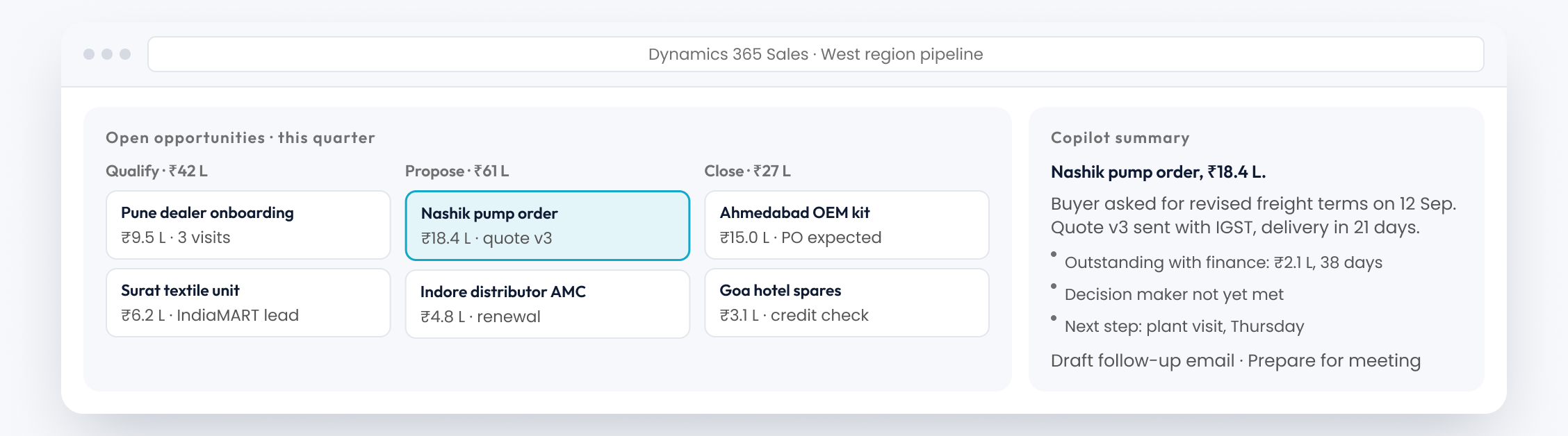
Copilot in Dynamics 365 Sales

A pipeline in rupees, with Copilot reading it for you

Managers see every open deal by stage and value. Copilot summarises an opportunity, lists what changed since the last review and drafts the follow-up email, using only records the user is allowed to see.

Illustrative screen. Outstanding balance syncs from Business Central. More on Copilot for Dynamics 365, including case summaries in Customer Service.

Built for Indian selling

Dealers, field visits, WhatsApp and GST, designed in from day one

Most CRM software in India is sold as a contact list with reminders. The configuration below is what makes Dynamics 365 fit a business that sells through channels across several states, and how each piece feeds the same lead-to-cash trail that ends in Business Central.

Dealer and distributor set-up

Primary and secondary salesSchemes and claimsTerritory targetsPower Pages portal login

01

Dealer and distributor networks

Primary and secondary sales, schemes, claims and territory targets sit on the same account record as everything else a rep or a manager needs. Dealers log their own orders and claims through a Power Pages portal, so nobody in your office is retyping a spreadsheet a dealer emailed on Friday evening.

02

Field sales on mobile

Reps plan visits, capture notes and update deal stages from the Dynamics 365 mobile app between calls, rather than reconstructing the day from memory that evening. Offline mode keeps working in the patchy network areas common on industrial estates and rural routes, syncing once the connection returns.

Field sales on mobile

Visit planningOffline captureGPS check-in, via Power Apps

WhatsApp and SMS

WhatsApp, via Azure Communication ServicesSMS reminders and order updatesIndian messaging providers

03

WhatsApp and SMS engagement

Customer Service supports a WhatsApp channel through Azure Communication Services, so a service case logged over WhatsApp keeps the same conversation thread an agent can see and respond to from their desk. Sales reminders, order updates and SMS alerts connect through Indian messaging providers, wired into Power Automate so a conversation stays logged against the right account.

04

GST-ready quotes

GSTIN, place of supply and price lists come from Business Central, so a quote already shows the tax a customer will actually be billed, rather than a figure sales has to caveat. Once the deal is won, the invoice, the IRN and the e-way bill are raised in the ERP, where the compliance record belongs.

GST-ready quotes

GSTIN and place of supplyPrice lists from Business CentralInvoice, IRN, e-way bill in the ERP

Lead to cash

From first enquiry to collected payment, across CRM and Business Central

Dynamics 365 Sales and Business Central share a Microsoft-built integration. We configure it, decide which system owns each field, and extend it where your process needs more.

1Built in

Lead captured

Website forms, email and events create leads directly. IndiaMART or JustDial feeds connect by API.

2Built in

Opportunity worked

Visits, calls and WhatsApp conversations logged against the account. Copilot summarises progress.

3We set it up

Quote with live prices

Items, price lists, GSTIN and credit limit pulled from Business Central, so the quote matches what finance will bill.

4We set it up

Order to Business Central

The won quote becomes a sales order in the ERP. No re-keying, no second copy of the customer.

5Built in

Invoice, IRN, e-way bill

Tax invoice with CGST, SGST or IGST, e-invoice and e-way bill raised in Business Central.

6Extend if needed

Status back to sales

Posted invoices and outstanding balances appear on the CRM account. Dealer dashboards can extend this further.

Built in

Standard in Dynamics 365 or Business Central

We set it up

Configured by Alphavima during the project

Extend if needed

Added when volume or process calls for it

Which system owns each piece of customer data

One field, one owner. Dynamics 365 Sales owns the relationship. Business Central owns anything that touches money or tax, because that is the system finance and the auditor both trust.

Owned by Dynamics 365 Sales

Leads, contacts, visitsQuotes and won orders

Owned by Business Central

GSTIN, billing address, place of supplyPrice lists, discounts, credit limitsInvoices and receivables

This split prevents five specific failures: relationship history disappearing when a rep leaves, wrong tax on a quote to an out-of-state buyer, promises finance later refuses to honour, transcription errors between quote and invoice, and sales chasing accounts to find out whether a customer has paid.

Moving from another CRM

Coming from Zoho CRM or Salesforce? A fair view

Both are capable products with large Indian user bases. The right move depends on what else you run, not on a feature checklist.

Staying on Zoho CRM makes sense when

You already run Zoho Books and Zoho apps end to end, the team is small, and sales does not need deep links into manufacturing or multi-GSTIN finance.

Keep it and integrate if needed

Moving from Zoho CRM makes sense when

You are adopting Business Central, work in Microsoft 365 all day, or need dealer portals, field service and Power BI on the same data.

Plan a staged migration

Staying on Salesforce makes sense when

It is heavily customised, well adopted and connected to an ERP that is staying, and licence renewal economics still work for you.

Connect it to the ERP instead

Moving from Salesforce makes sense when

You want one Microsoft identity, security model and data platform across ERP, CRM and analytics, and fewer vendors to manage.

Model the licence change first

What comes across

Accounts, contacts, open opportunities and a cut-off of closed history move first, because that is what a sales team needs on day one. Attachments and old emails are archived rather than migrated when they add little to a live pipeline, so the new system starts clean instead of carrying years of clutter across with it.

Accounts, contacts and every open opportunityA defined cut-off for closed and historic recordsOlder attachments and emails archived, not migrated, unless you need them live

What gets redesigned

Sales stages, territories and approval rules rarely map one to one from another product. A stage model built around Zoho’s or Salesforce’s defaults often hides steps your sales head actually cares about, so we redesign the stage model with them before anything is configured, rather than importing an old one and living with it.

Sales stages agreed with your sales head, not carried over by defaultTerritories and approval rules rebuilt for how you sell todayForecast categories mapped so reporting still makes sense on day one

How cutover works

A trial load into a sandbox first, with record counts reconciled against the source system. Open deals then run a short parallel period so reps trust the new pipeline before the old system is switched off, rather than being told to trust it on day one. Our migration service covers the detail end to end.

A trial load and a reconciled record count before anyone touches live dataA short parallel period for open deals, not a hard cutoverOld system switched off only once the sales team confirms the new one is trusted

Get our dealer-led CRM readiness checklist: the 20 decisions to make before configuring Dynamics 365 Sales.

Lead magnet

Get a CRM readiness check

We look at how your sales team works today and where Dynamics 365 Sales would change the day-to-day.

Common questions

Dynamics 365 CRM questions

Anything else about Sales, Customer Service or the ERP connection, ask a consultant. More answers on the FAQs page.

Is Dynamics 365 CRM the same product as Microsoft Dynamics CRM?

It is the successor. Microsoft Dynamics CRM was the earlier name for the product. Its capabilities now ship as separate Dynamics 365 apps, mainly Sales, Customer Service, Field Service and Customer Insights, all built on Dataverse. If you still run an older on-premises CRM version, moving to the cloud apps is a migration project rather than a simple upgrade.

Yes for service teams. Dynamics 365 Customer Service supports a WhatsApp channel through Azure Communication Services, which needs a WhatsApp Business Account and approved message templates. For sales-side reminders, order updates and SMS, we connect an Indian messaging provider through Power Automate or an API so conversations are logged against the right account.

We keep invoicing in Business Central. CRM owns the lead, opportunity and quote, and it shows GST correctly because tax details come from the ERP. Once the quote is won it becomes a sales order in Business Central, which raises the tax invoice, the IRN and the e-way bill and keeps the audit trail in one place.

Copilot features such as opportunity summaries, meeting preparation and email drafting come with qualifying Dynamics 365 Sales plans. Autonomous agents are billed separately through Copilot Credits. Entitlements change with Microsoft releases, so we confirm yours in a licence review before rollout. See our Copilot for Dynamics 365 page for detail.

It depends on the number of teams, the dealer model and whether Business Central is being implemented at the same time. After a short discovery workshop we send a fixed-scope proposal with phases, milestones, and licence and services shown as separate lines.

Client outcomes

Client outcomes delivered by Alphavima

Selected stories from Alphavima’s global client base in North America and the UK, delivered on the same Microsoft platforms we implement for businesses in India.

01 / 03

Insurance and warranty · USA

Three systems for sales, warranty and claims brought into one CRM

Sales, warranty and claims on one CRM

Professional Warranty Service Corporation

Dynamics 365 CRMSelf-service portals

Nonprofit and membership · UK

65% less time to onboard a new member, with zero duplicate records

CRM and member portal for a heritage railway society

M&GN Joint Railway Society

Power AppsPower AutomatePower BI

Wholesale distribution · USA

99%+ inventory accuracy after barcode warehouse management

Barcode warehouse management for a national distributor

Confidential client

Business CentralWarehouse ManagementEDIPower BI

Next step

See your pipeline and receivables in one place

Book a consultation to map your sales process, dealer model and ERP connection. You also get our dealer-led CRM readiness checklist.